

Built for Locators.By Locators.
Every DPS360 Pro locate tells the excavator what you found, how sure you are, and what still needs to be verified. Use it to educate your clients and keep your company's risk to a minimum.
 Committed to NAPUA Best Practices. Risk classification and locate confidence are built into every job.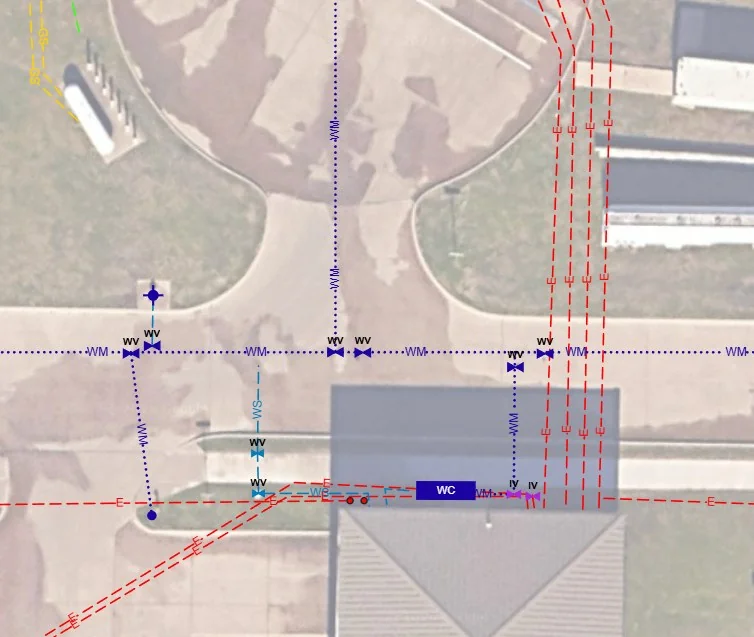
Pick up your marks right on the map
Switch a page to the Geo Map and record your paint where it actually is. Walk the line with the tablet, drop points as you go, and the drawing lands on real-world coordinates, ready for Google Earth, GIS or CAD.
One complete locate tool
Designed by an AutoCAD draftsperson who locates for a living. Built for function, ease and speed, so the drawing gets done on the tailgate, not back at the office.
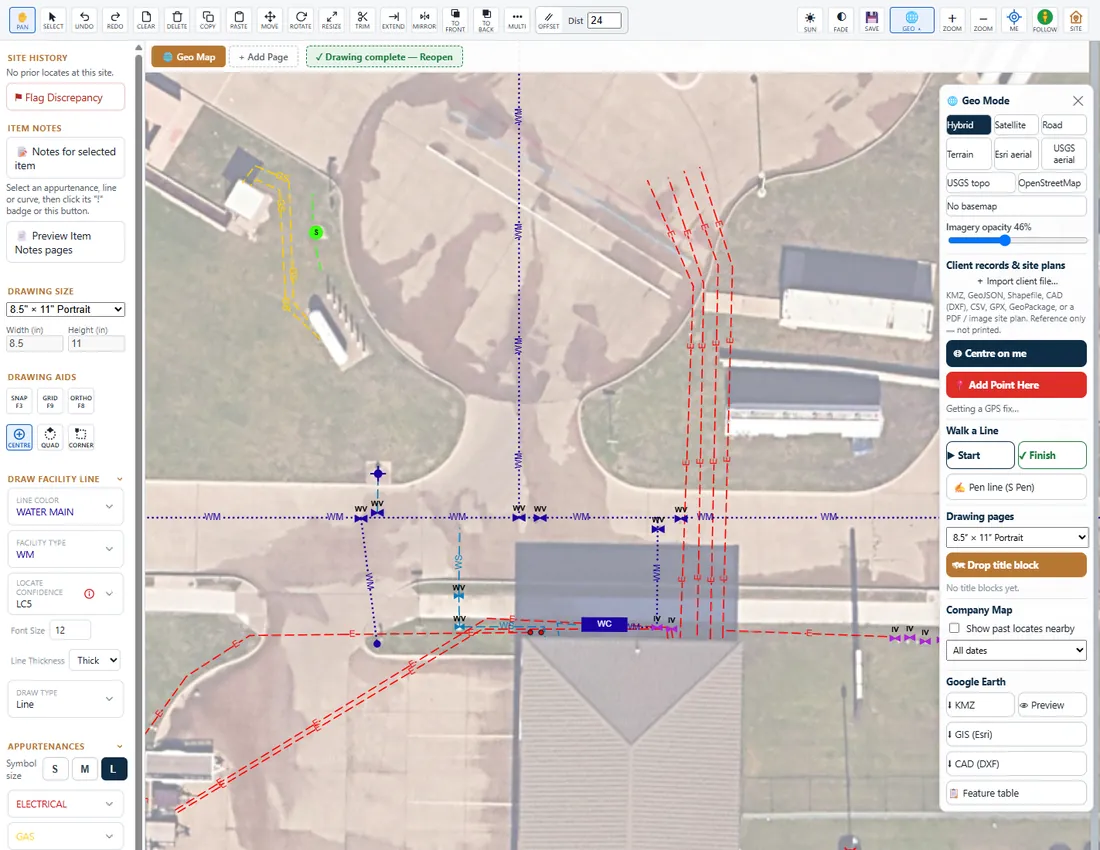
Geo drawing
Draw over live aerial imagery with GPS. Every line keeps its utility, type and locate confidence, and exports straight to Google Earth, GIS and CAD.
CAD-style sketching
For inside buildings, or when the aerial isn't there or isn't good enough. Snap, grid, ortho, trim, extend, offset, mirror, rotate, measure and leaders, the tools a drafter expects.
Photos from the tablet or phone
Take site photos right in the job, tag and caption them, and show the marks in them. Some jobs need only photos, and that's a report too.
Risk, explained the same way on every job
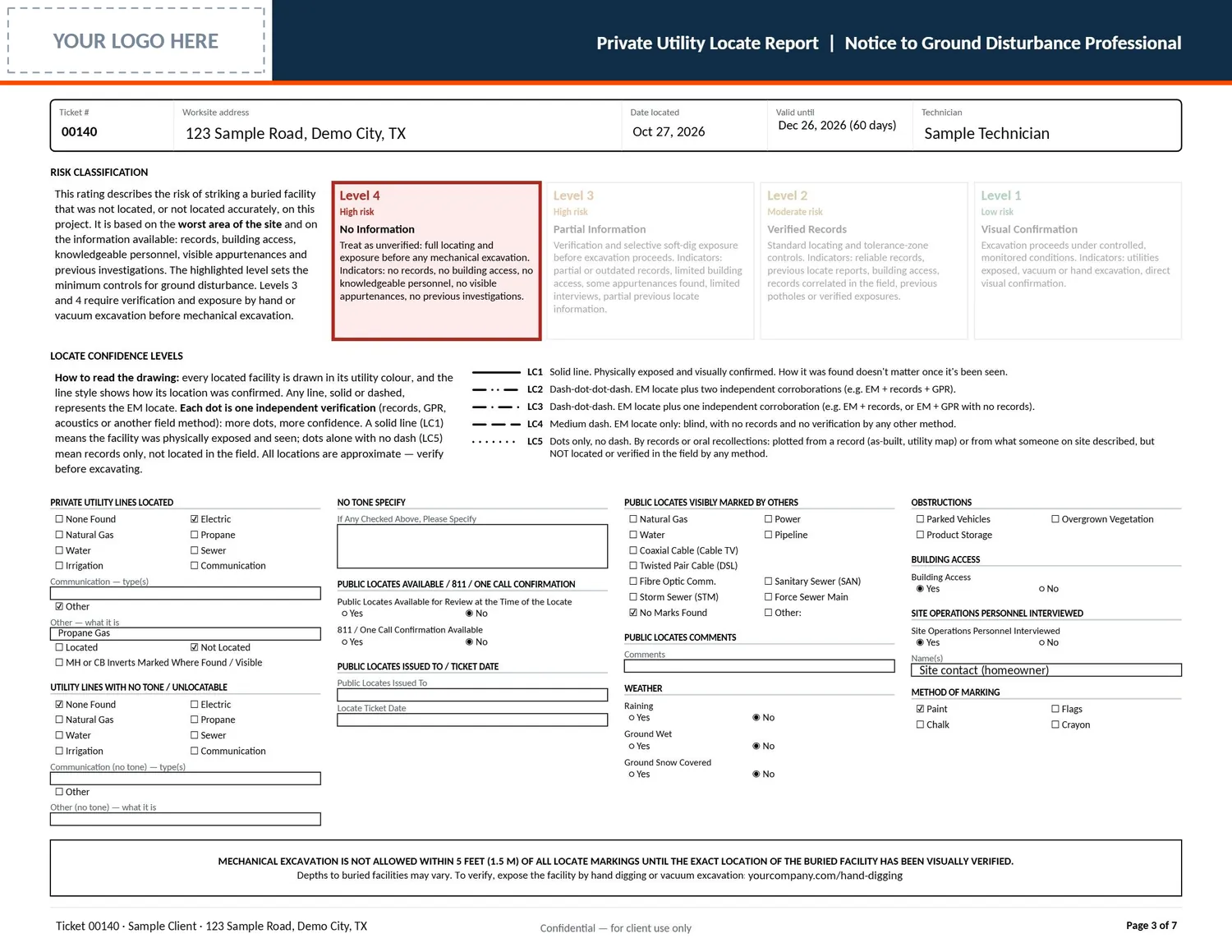
Every DPS360 Pro report carries a NAPUA risk classification. It rates the chance of striking a buried facility that wasn't located, based on the worst area of the site and the information available, and it sets the minimum controls before anyone digs. Tap a level.
What the site looks like
No records, no building access, no knowledgeable personnel, no visible appurtenances and no previous investigations.
What it means before digging
Treat it as unverified: full locating and exposure by hand or vacuum excavation before any mechanical excavation.
How sure are you about each line?
The risk class covers the site. Locate confidence covers every single line. Each line is drawn in its utility color, and its style shows how it was confirmed. Each dot is one independent verification: more dots, more confidence. A solid line means it was exposed and seen.
The legend prints on every drawing page, so the excavator never has to guess.
- LC1Exposed and visually confirmed. How it was found doesn't matter once it's been seen.
- LC2EM locate plus two independent checks, for example EM, records and GPR.
- LC3EM locate plus one independent check, for example EM and records, or EM and GPR.
- LC4EM locate only, blind. No records and no other verification.
- LC5Records or recollection only. Plotted from an as-built or from someone on site, not located in the field.
Real reports. Your logo on them.
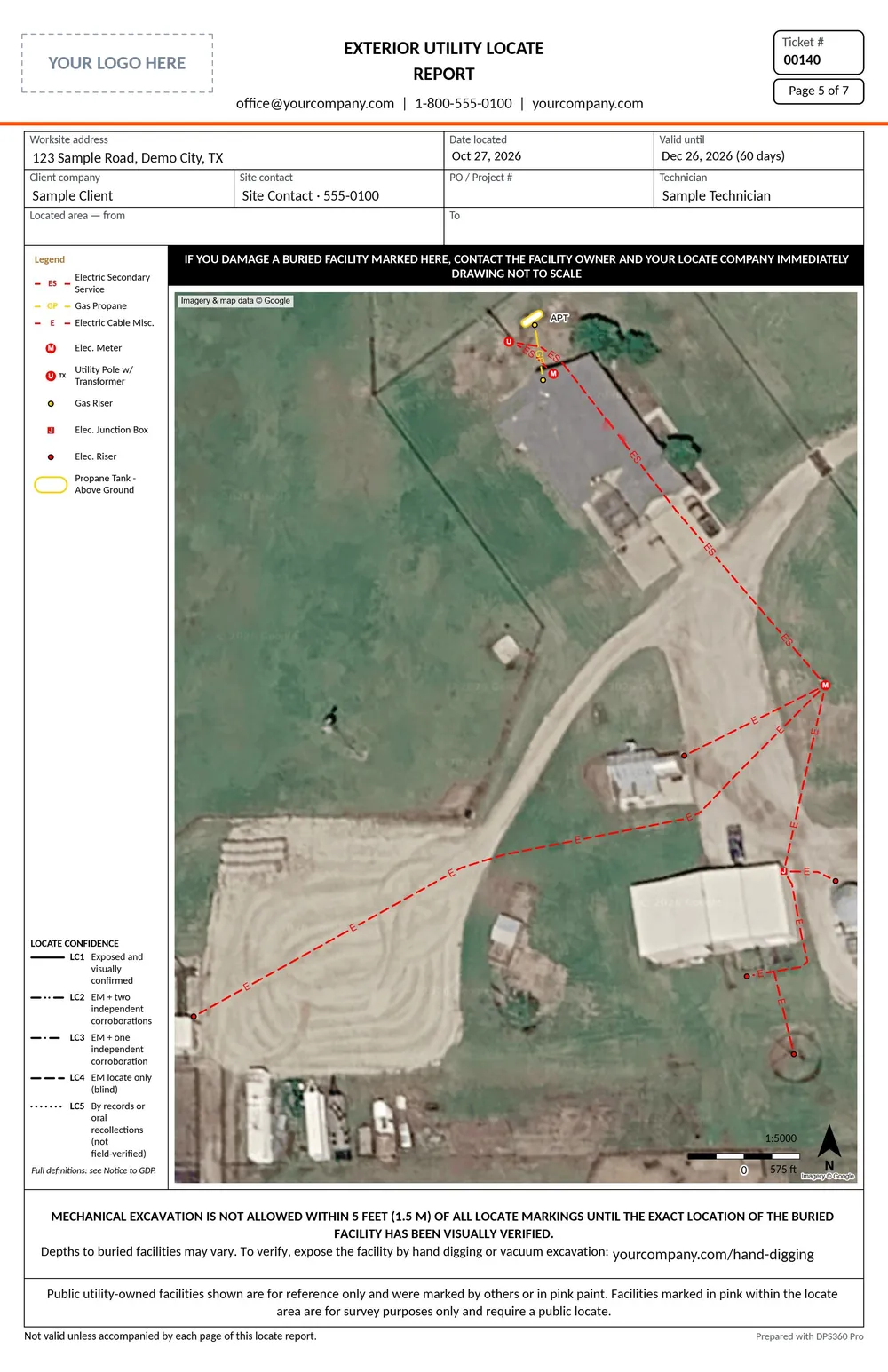
These are pages from a real DPS360 Pro locate report, with the client's details removed. Yours carries your logo, your colors and your terms. DPS360 Pro builds it from what was actually done on site.
Drawings in three sheet sizes
Pick the sheet that fits the site, and turn it to suit. North always points up the page, so long, narrow sites get the orientation they need.
- Supervisor reviewA second set of eyes before anything is released to the customer.
- Limitations in plain wordsWhat couldn't be located and why, from a library, chosen on site.
- Nothing goes out half doneA report can't be finished until the drawing or photos are complete.
- A report for every job typeExterior, interior, concrete scanning and suspended slab, each with the right pages.
Your brand, everywhere
Your customers never see ours. Put your logo and your colors on the whole system, so it looks and feels like your own software.
- Sign-in pageYour logo and colors from the first screen.
- Customer portalYour company, front and center.
- Every report pageYour logo, title block, contact details and terms.
- Report designerLay out your own pages and title blocks.
A customer portal that does the office work
Your clients get their own sign-in. They book, approve and download on their own time, and your office stops chasing emails.
Educate your clients. Protect your company.
Paint on the ground only tells part of the story. DPS360 Pro makes sure your client knows what the paint means, what it doesn't, and what has to happen before they dig.
From the customer's request to their files, in one place
No more retyping the same job into a booking sheet, a calendar, a drawing app and a report template. Every job follows the same path, and everyone can see where it stands.
Request
The customer books in their portal, or the office takes the call and fills one intake form.
Estimate
Priced from your own rules, sent to the portal and accepted online.
Schedule
Jobs go on your locators' days. Each tech sees only what's theirs.
Locate
Site conditions, Geo Map or sketch, photos and checklist, with or without signal.
Report
The report builds itself from what was done on site, with risk class and confidence.
Review
A supervisor checks it before anything leaves the building.
Release
Released to the customer's portal. Terms are accepted before it opens.
Deliver
The report and every file they asked for, downloaded when they need it.
Delivered in every format they ask for
Their records, brought in
Built around NAPUA best practices
The North American Private Utility Association sets the standard for how private locates are investigated, documented and communicated. DPS360 Pro puts that standard into the everyday workflow, so following it is the easy way, not the extra step.
- NAPUA risk classification on every report
- Locate confidence on every line
- Limitations and residual risk stated clearly
- Verification and exposure before mechanical excavation
- A complete report to the ground disturbance professional
Who it's for
One platform, switched on to fit how your company works.
Residential, commercial and industrial private locates, from a one-truck operation to a multi-office company.
Subsurface utility engineering with quality-level support for ASCE 38 and CSA S250.Coming
Concrete scanning and interior work: slabs, foundations, post-tension cables and grade beams.
See it on your own jobs
We'll walk you through DPS360 Pro with a sample company, then talk about how it would fit yours. No sales script, just locators talking shop.
Prefer email? sales@dps360pro.com
Already have a demo login? Sign in to the demo